FilmAgent
AI co-pilot for filmmakers
Solution overview for Sales and Solution ArchitectsWhat FilmAgent is
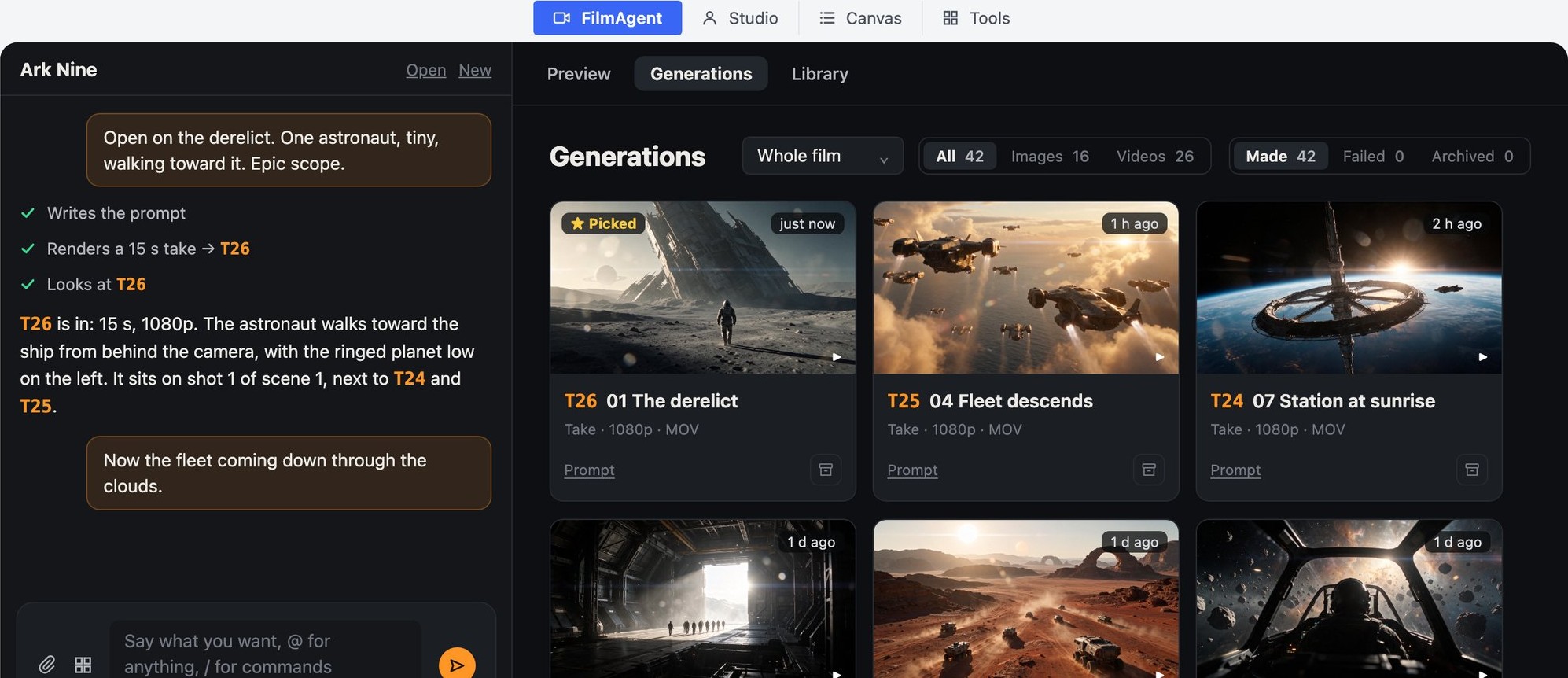
FilmAgent is an AI co-pilot for filmmakers. It covers screenwriting, asset generation, specialized AI skills and shot editing, and takes the existing project into account.
It works through natural language and precise editing.
- FilmAgent: ask in words; the agent does the work.
- Studio: the same film, stage by stage.
- Canvas: card-by-card control of one shot or edit.
Target customers
1 · AI-native film companies
2 · Media platforms that need agentic solutions
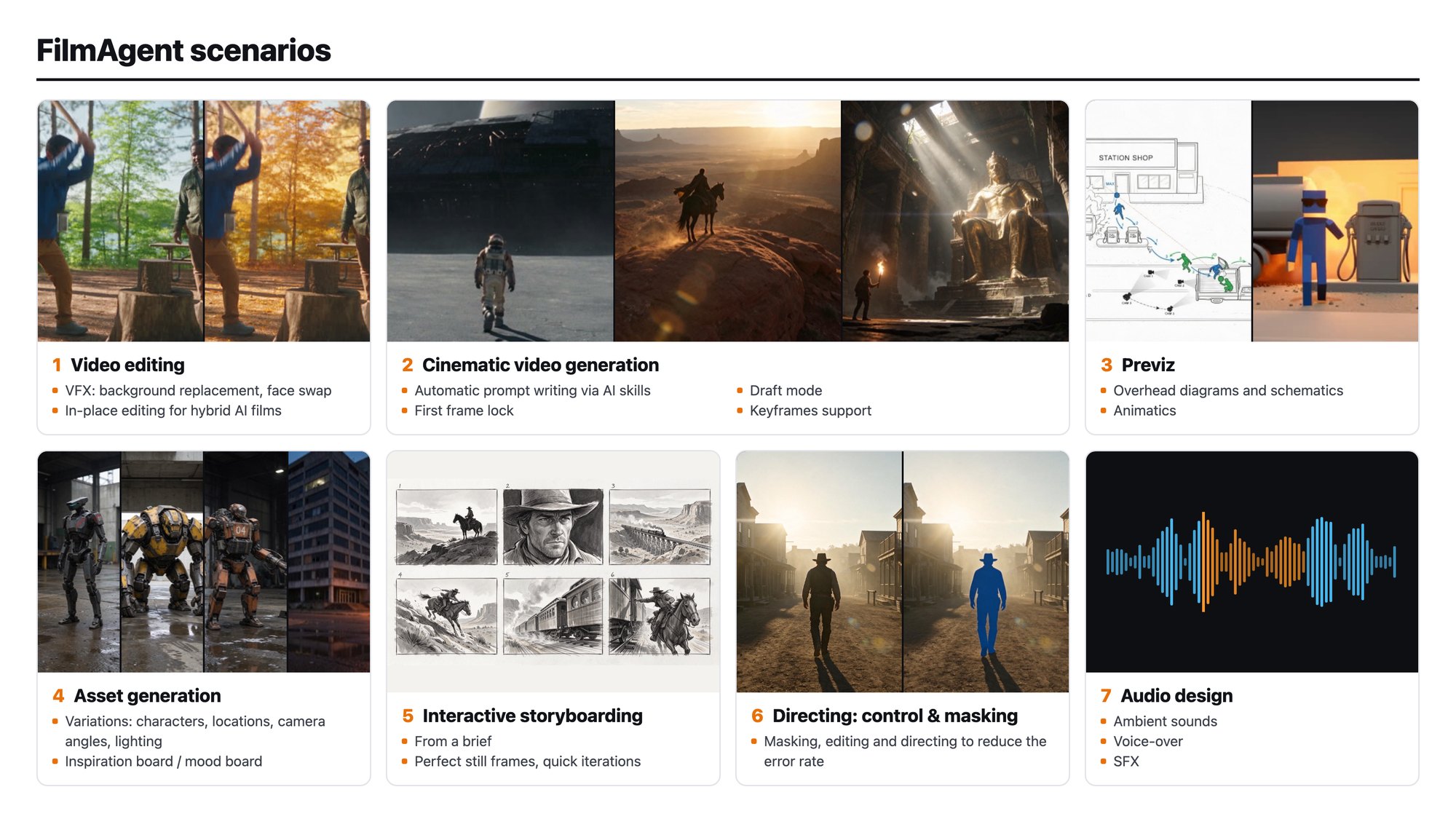
Scenarios
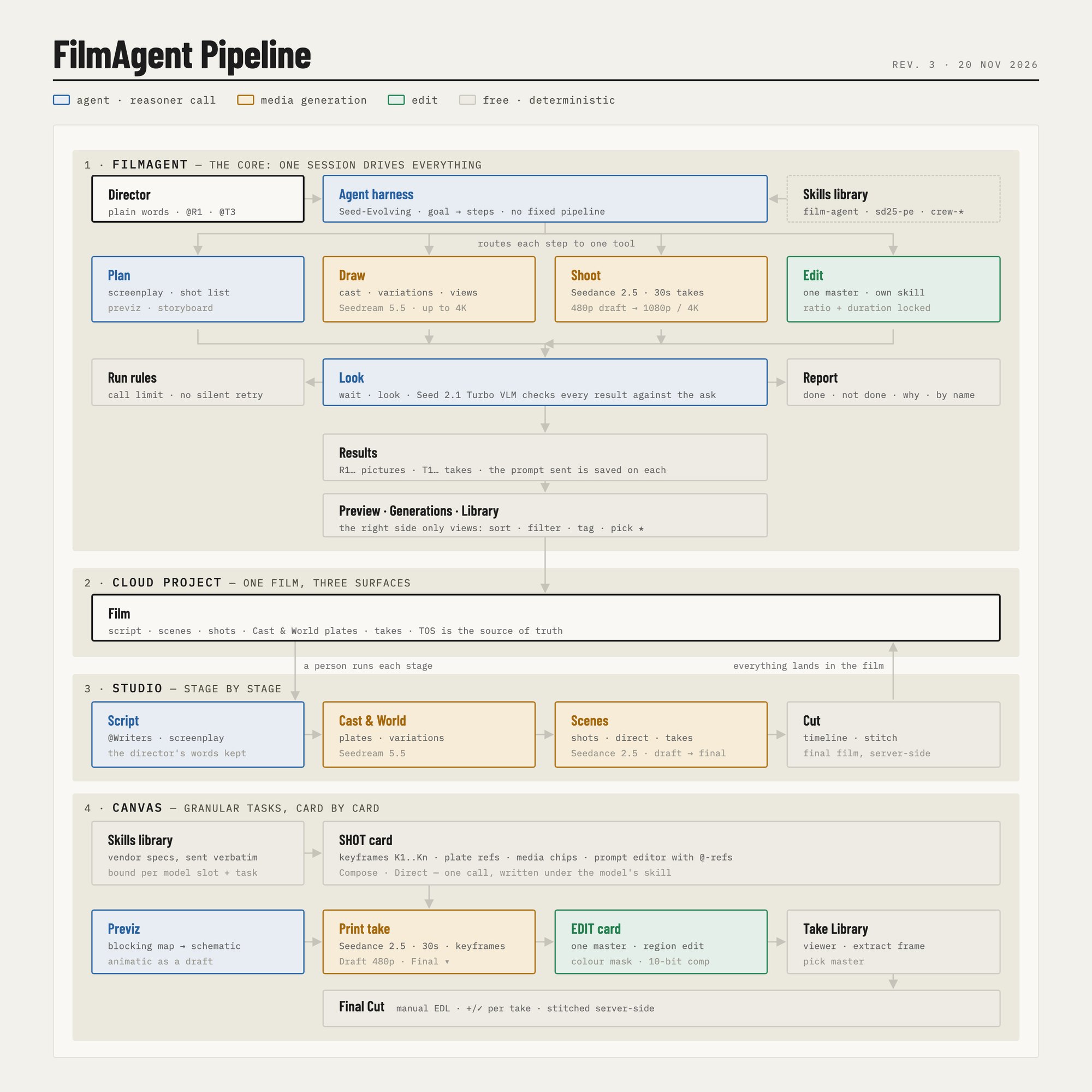
The harness what sits between the director and the models
The harness is the agent loop that turns a request into finished work. For each request it plans the steps, calls one film tool per step, looks at what came back and decides the next step, until it can report. There is no fixed pipeline.
What the harness holds
| Tools | 30 film tools the agent can call. Each does one job and returns a named result: R for pictures, T for takes. |
| Skills | Prompts are written under each model's own spec (Seedance 2.5, Seedream, editing). Tool prompts and the agent's method are files a customer can read and change. |
| Context | One cloud project per film. The agent reads only what a step needs, so a long project does not have to be reloaded into the model each time. |
| Assets by name | R1, T3 and @Name resolve to the right file and are numbered for the model. A prompt that cites an asset not in the render is refused in code. |
| Run rules | Up to 60 tool calls per request. A tool that refuses the same thing twice is closed for that request. A render's prompt must come from the prompt-writing step. |
| Director in the loop | Every step shows as it happens. The director can add a note while it works, stop it, and pick or reject results. Renders already started still land in the film. |
| Models | Planner: Seed 2.1 Turbo by default, Seed 2.0 Pro or Seed-Evolving selectable. Video: Seedance 2.5. Images: Seedream. Each slot is set by an environment variable. |
Harness benefits
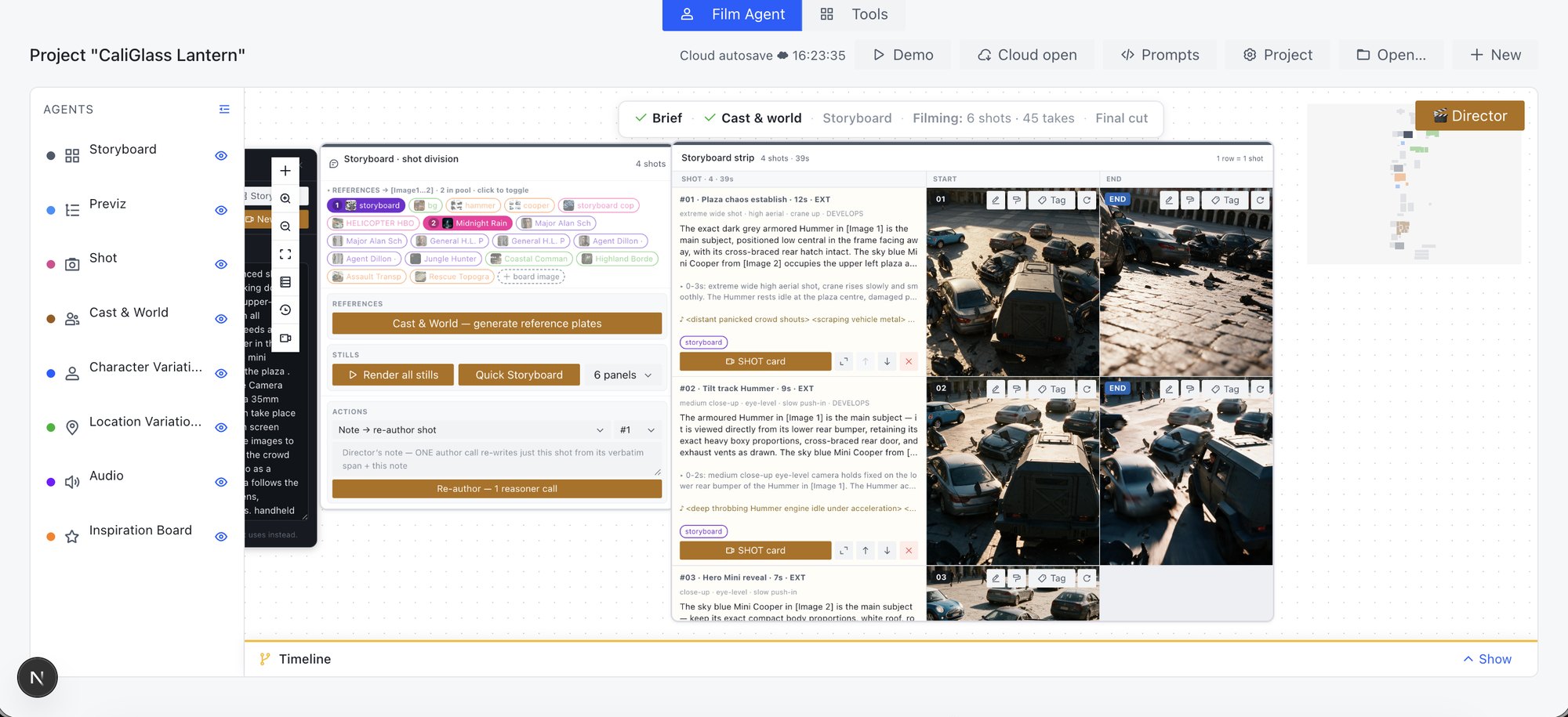
Architecture Harness, Studio and Canvas
FilmAgent is a white-label solution: building blocks for the film industry that combine the Harness, Studio and Canvas spaces.
- Harness (FilmAgent): one session drives the film through tools.
- Cloud project: one film shared by all three.
- Studio: Script, Cast & World, Scenes, Cut.
- Canvas: Shot card, Previz, Edit card, Take Library, Final Cut.
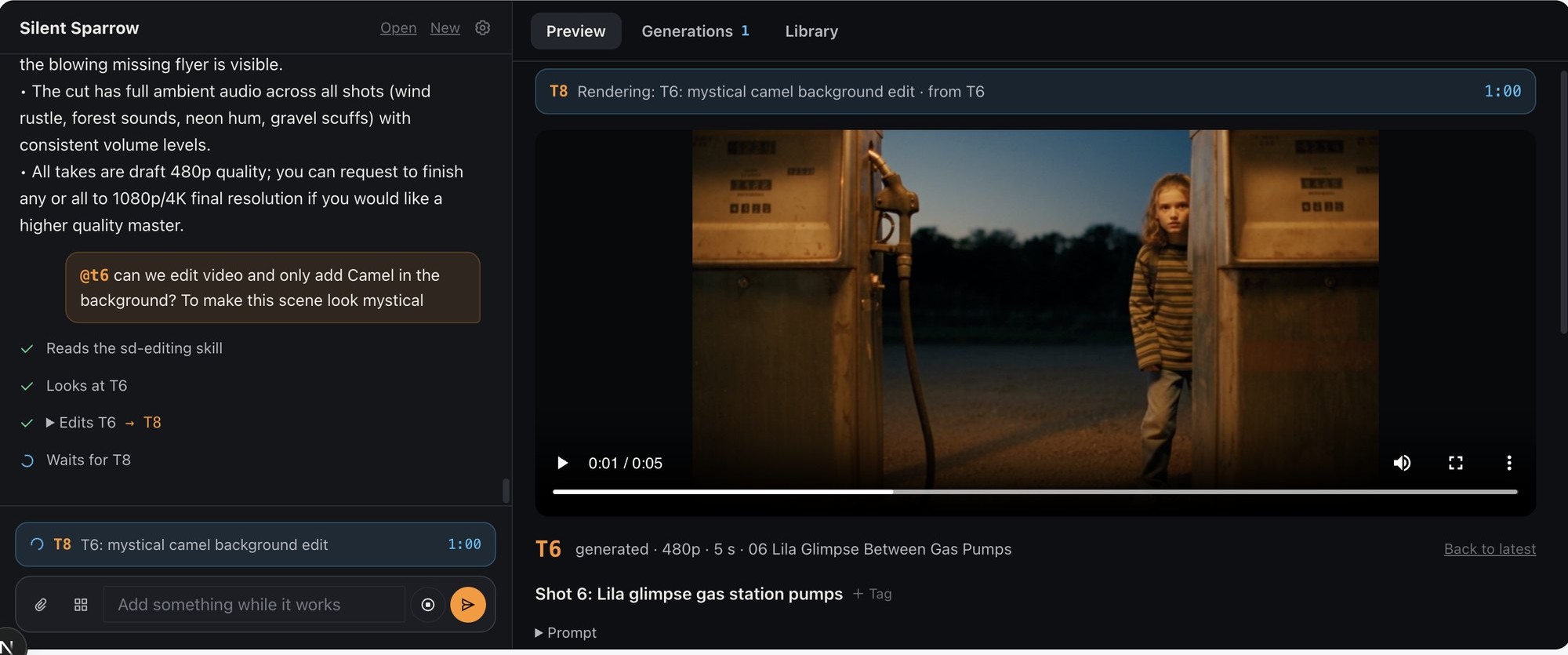
Video editing
The agent edits existing footage of up to 30 seconds.
Scenarios
- Background replacement, face swap
- Outfit change, relighting
- Dialogue line change, audio replacement
- New endings
- Equipment clean-up
- Mask generation, blockout video
- In-place editing for hybrid AI films
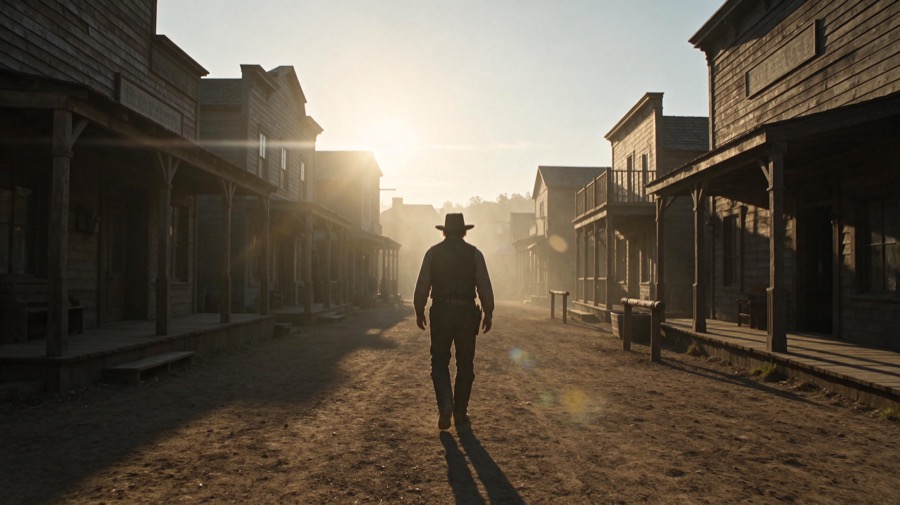
Cinematic video generation FilmAgent
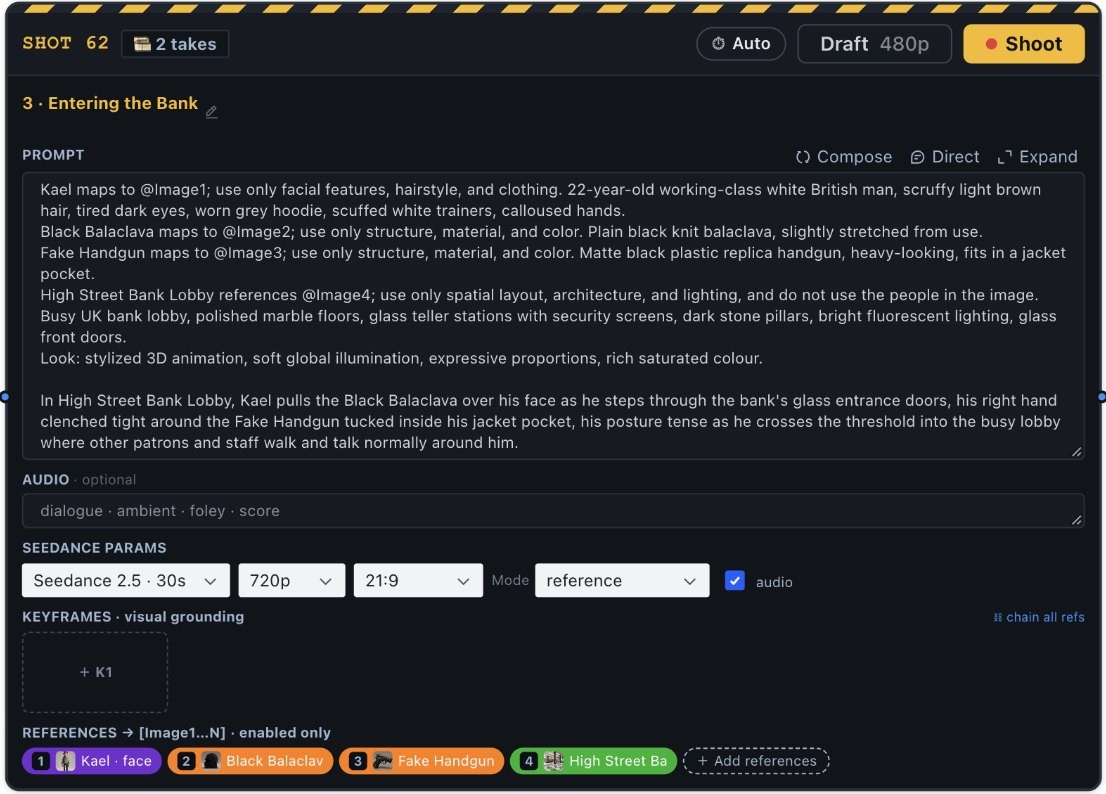
Generate as many takes as needed and steer them in natural language.
- Automatic prompt writing via AI skills
- Draft mode: 480p first, then the final
- Takes up to 30 seconds, with sound
- The agent reports what it saw in each take
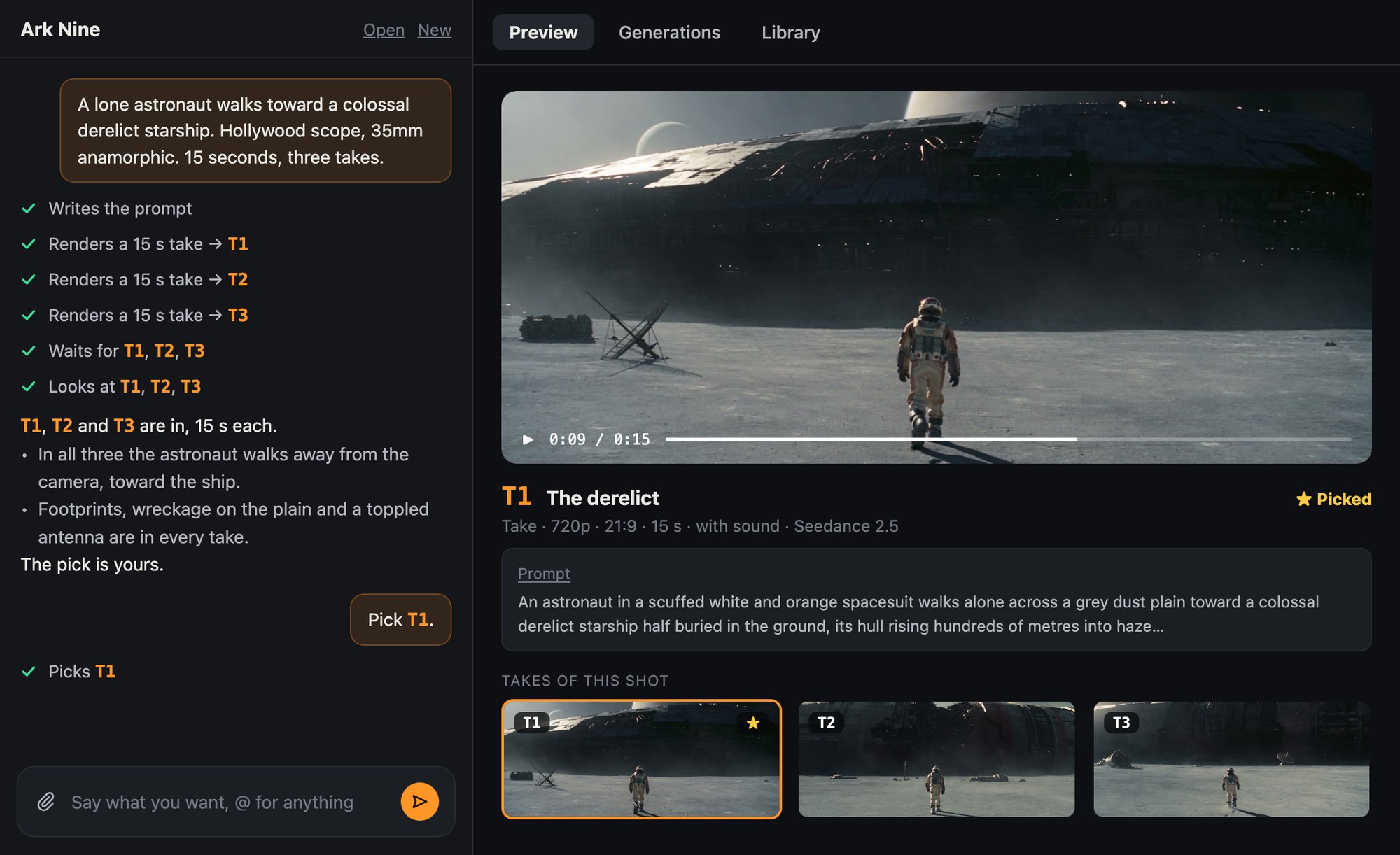
Cinematic video generation Canvas Shot card
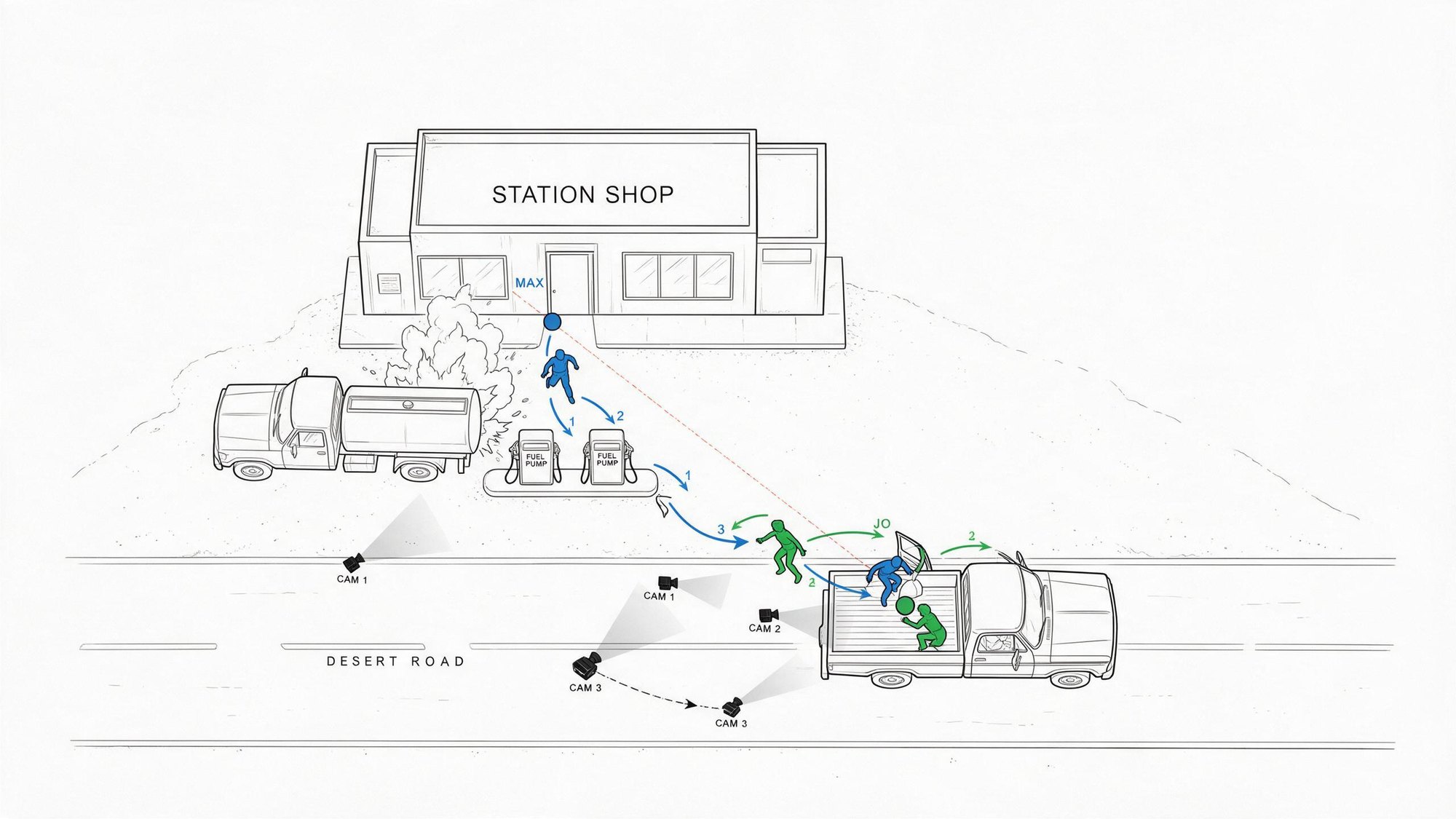
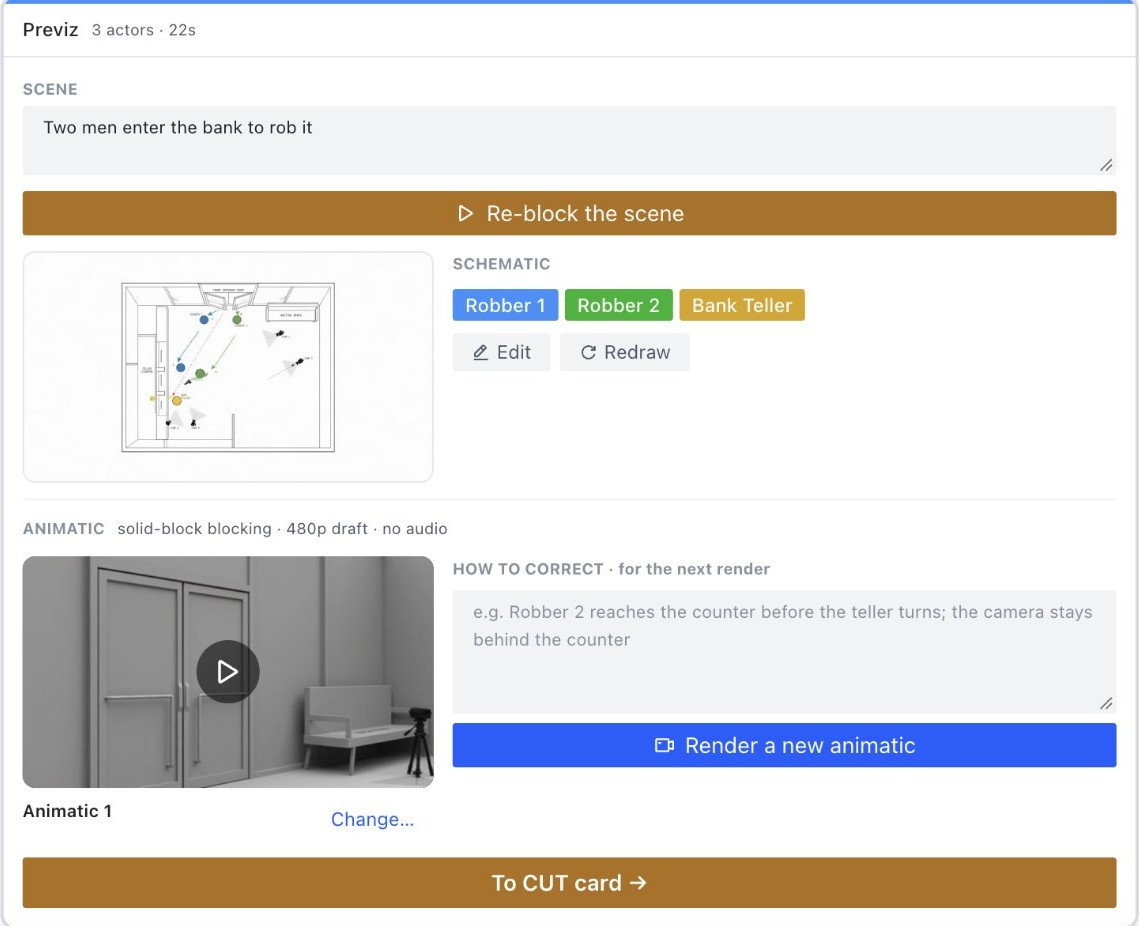
Previz and animatics
The agent turns an idea into an overhead diagram of the blocking, then into an animatic.
Asset generation the Bible
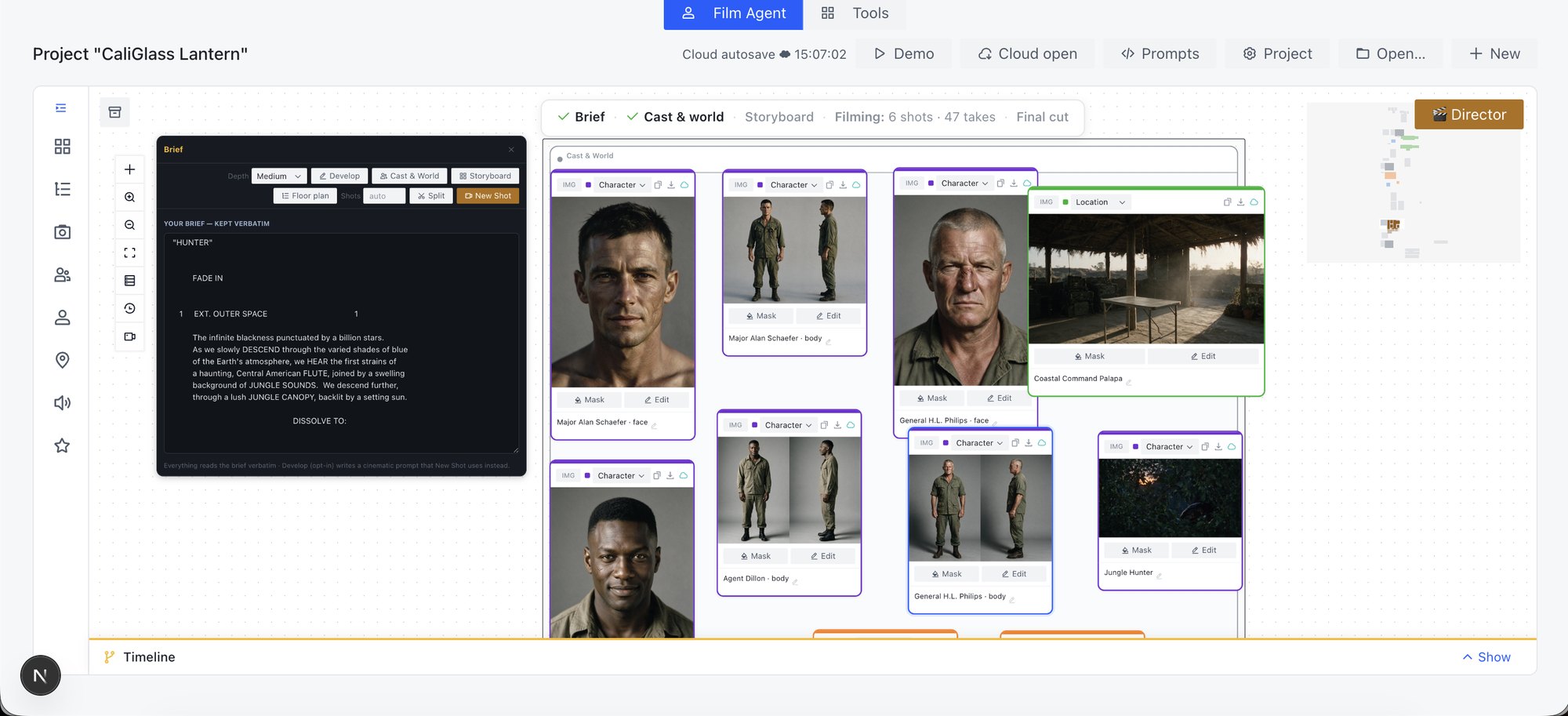
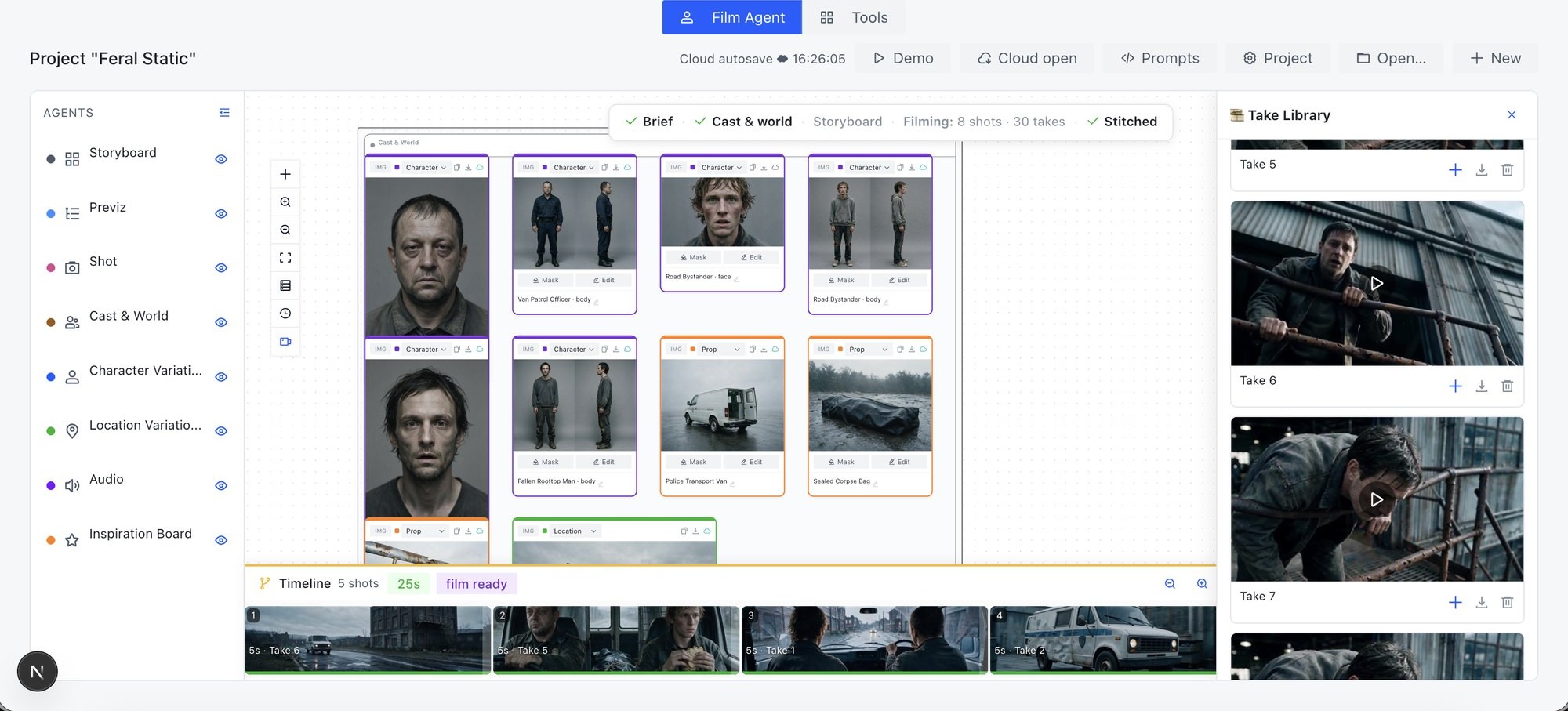
This Canvas agent turns a script or brief into a Bible: the set of references reused across the whole project.
- Character sheets
- Locations
- Props
In FilmAgent the same job is one request: "Cast it."
Asset variations
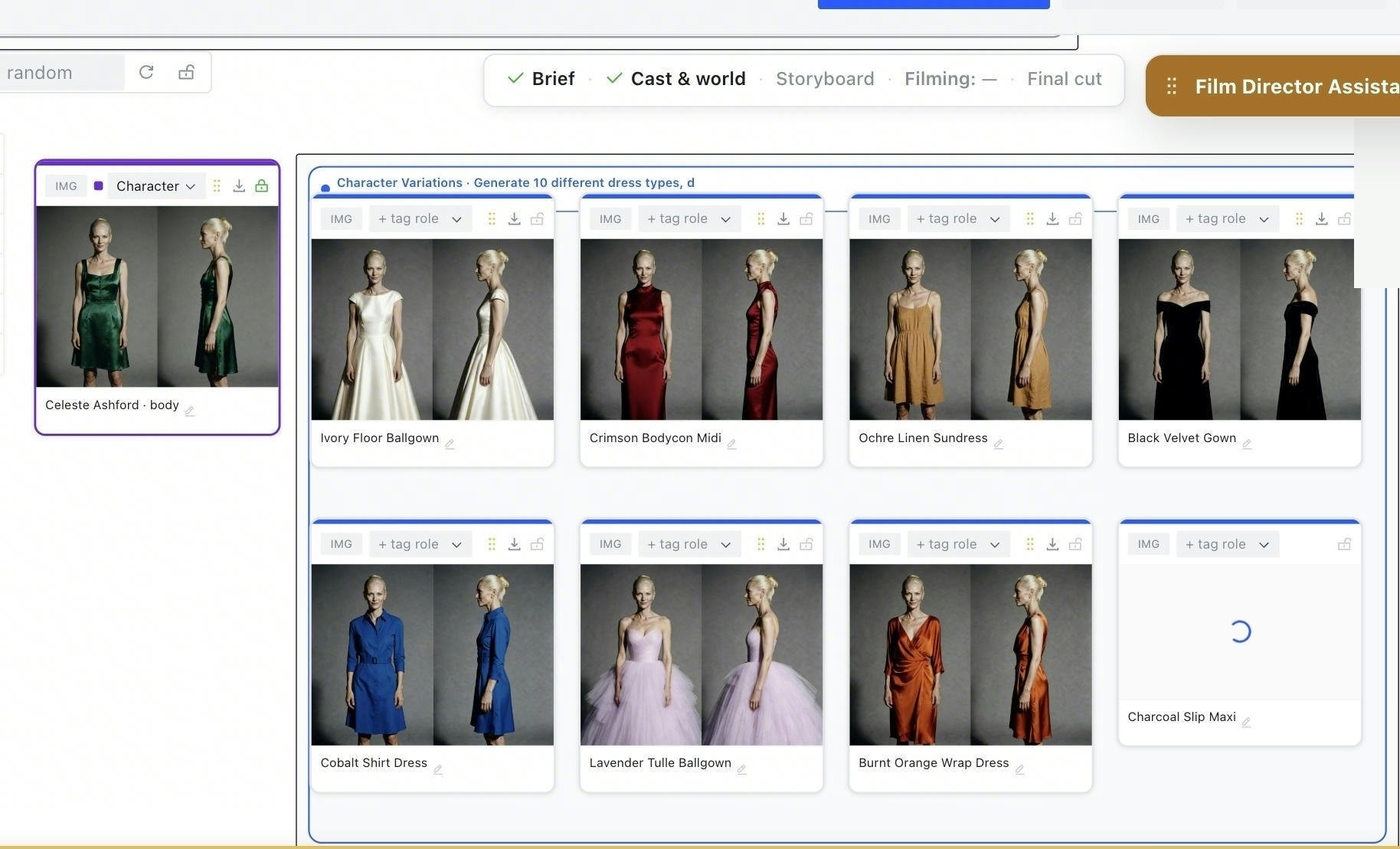
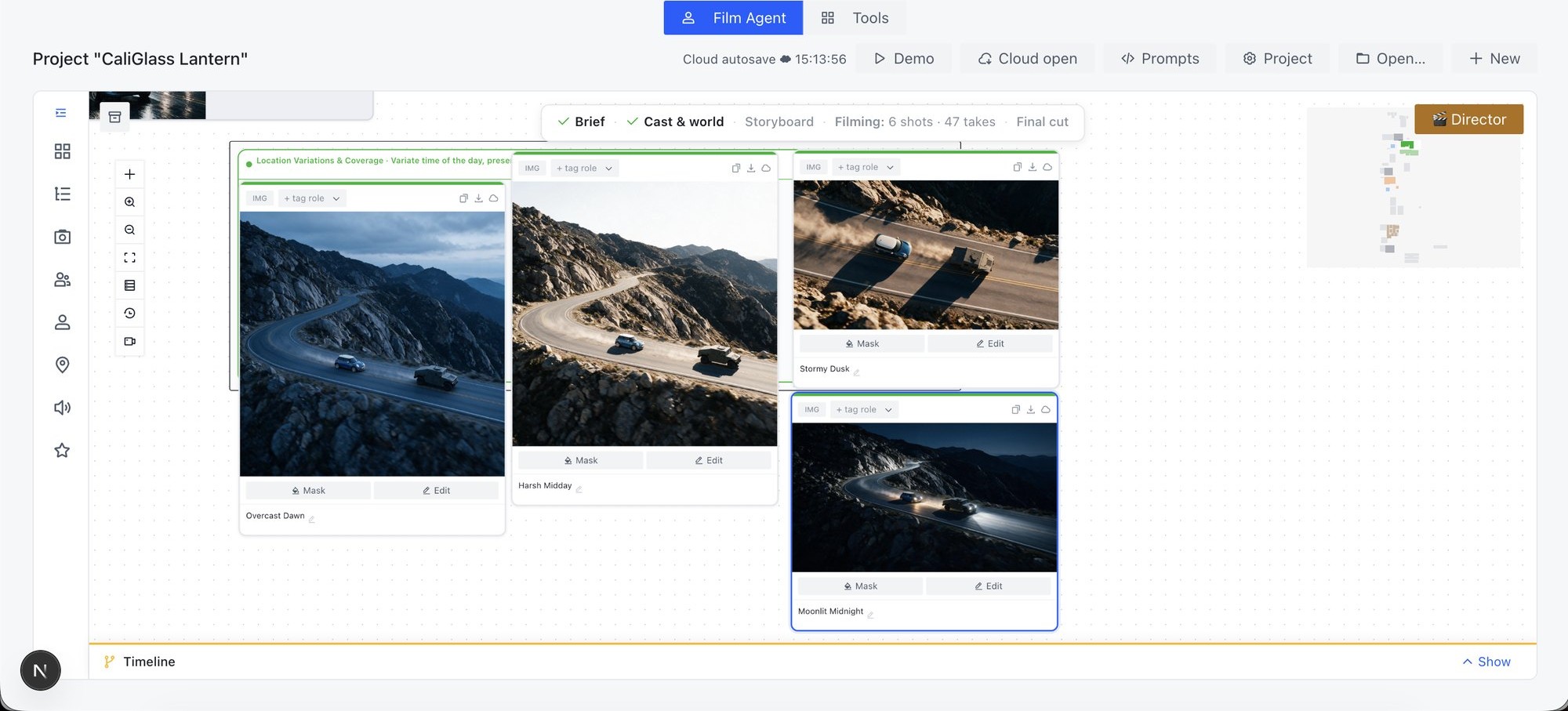
The Variations agent changes what an asset looks like while keeping the structure of the reference: characters, locations, camera angles, lighting.
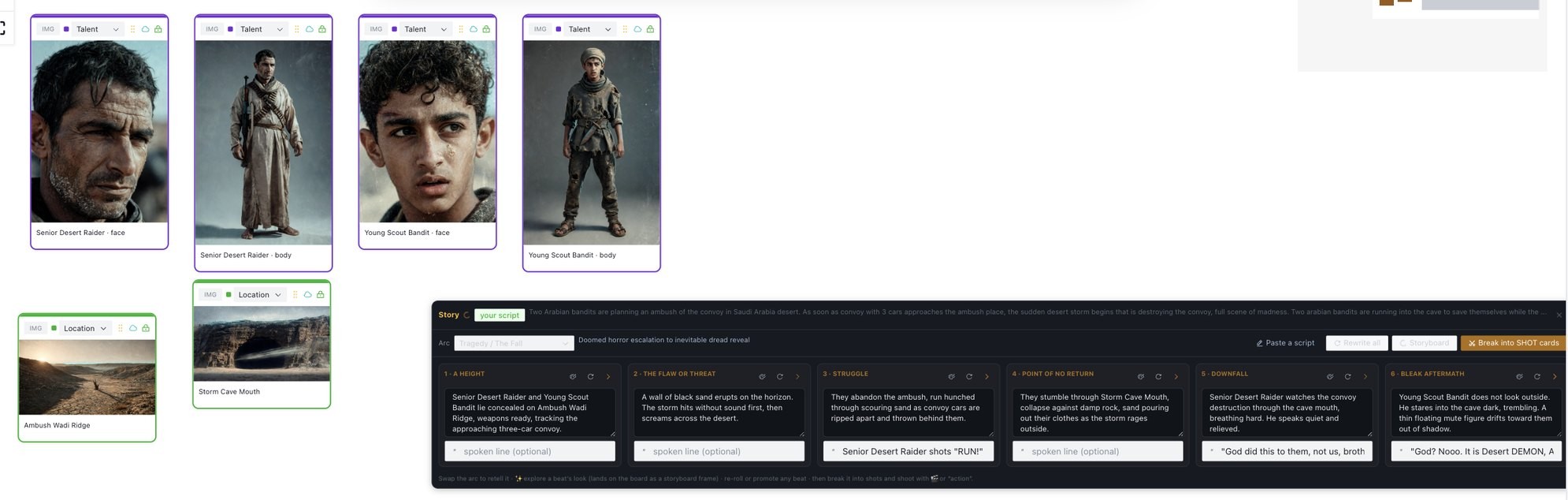
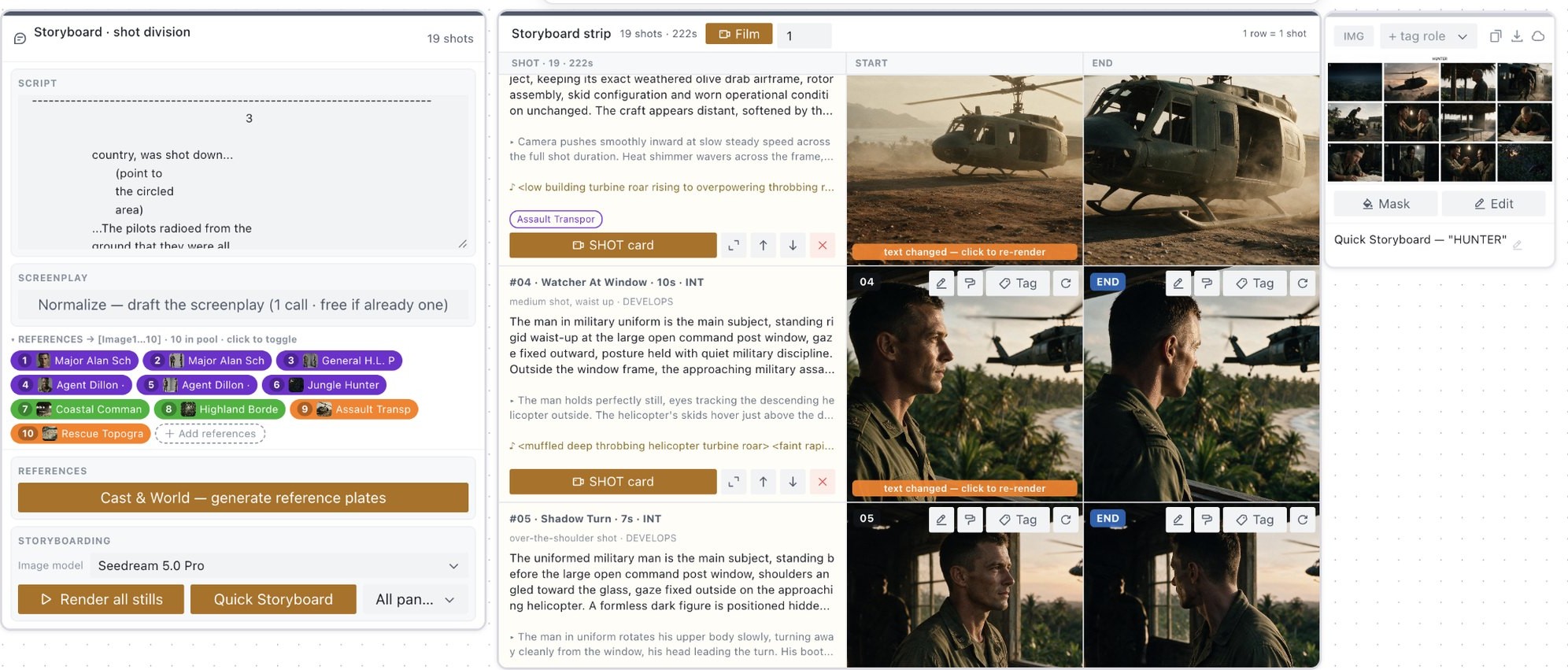
Interactive storyboarding from a brief
Each row can be edited and re-rendered, then sent to a Shot card.
Directing: control and masking
Control inputs reduce the error rate in complex shots, such as multi-character scenes or planned camera moves.
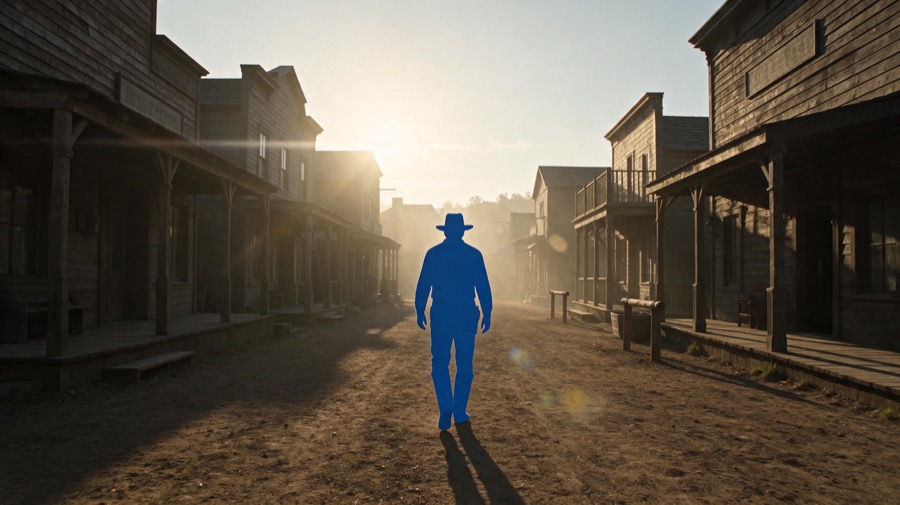
- Masking: people become flat colour silhouettes
- Editing: draw on a picture to say where
- Directing: blocking, keyframes and reference video steer the take
Audio design
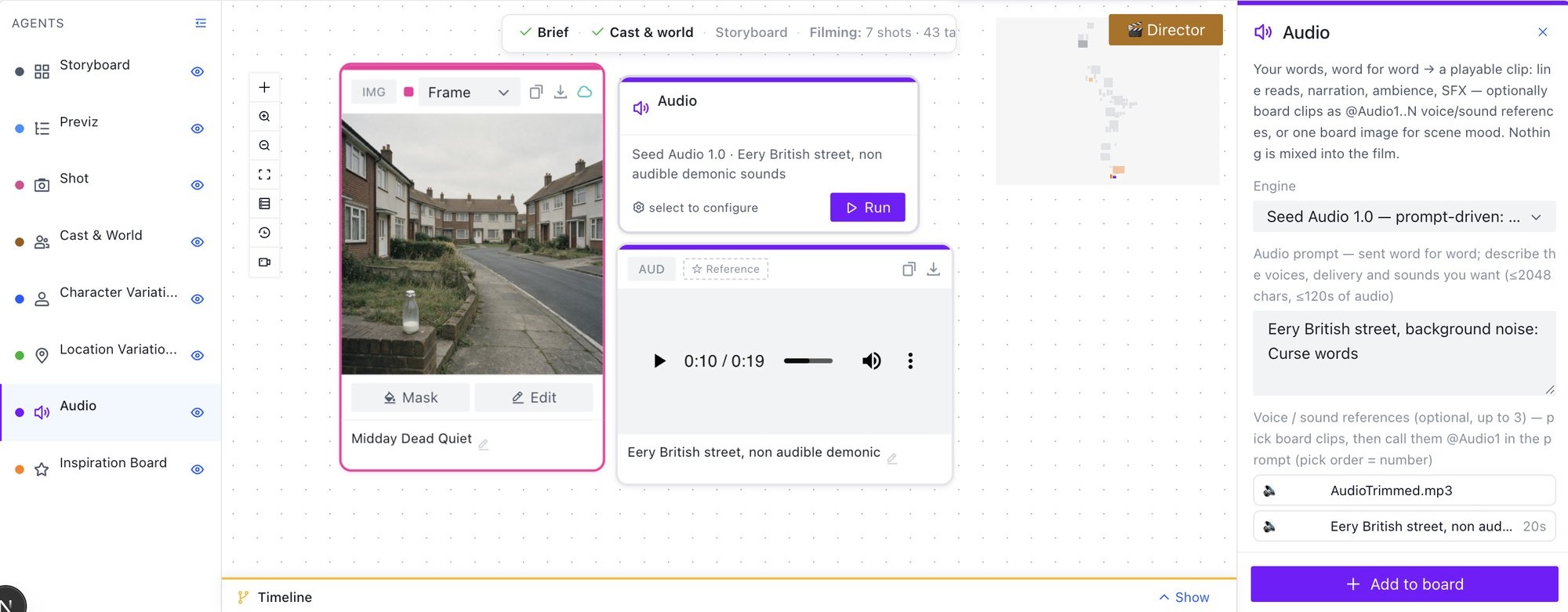
From an image and a prompt, the Audio agent on the Canvas generates sound with Seed Audio 1.0.
- Ambient sounds
- Voice-over
- SFX
Seedance takes also come with their own sound.
Skills
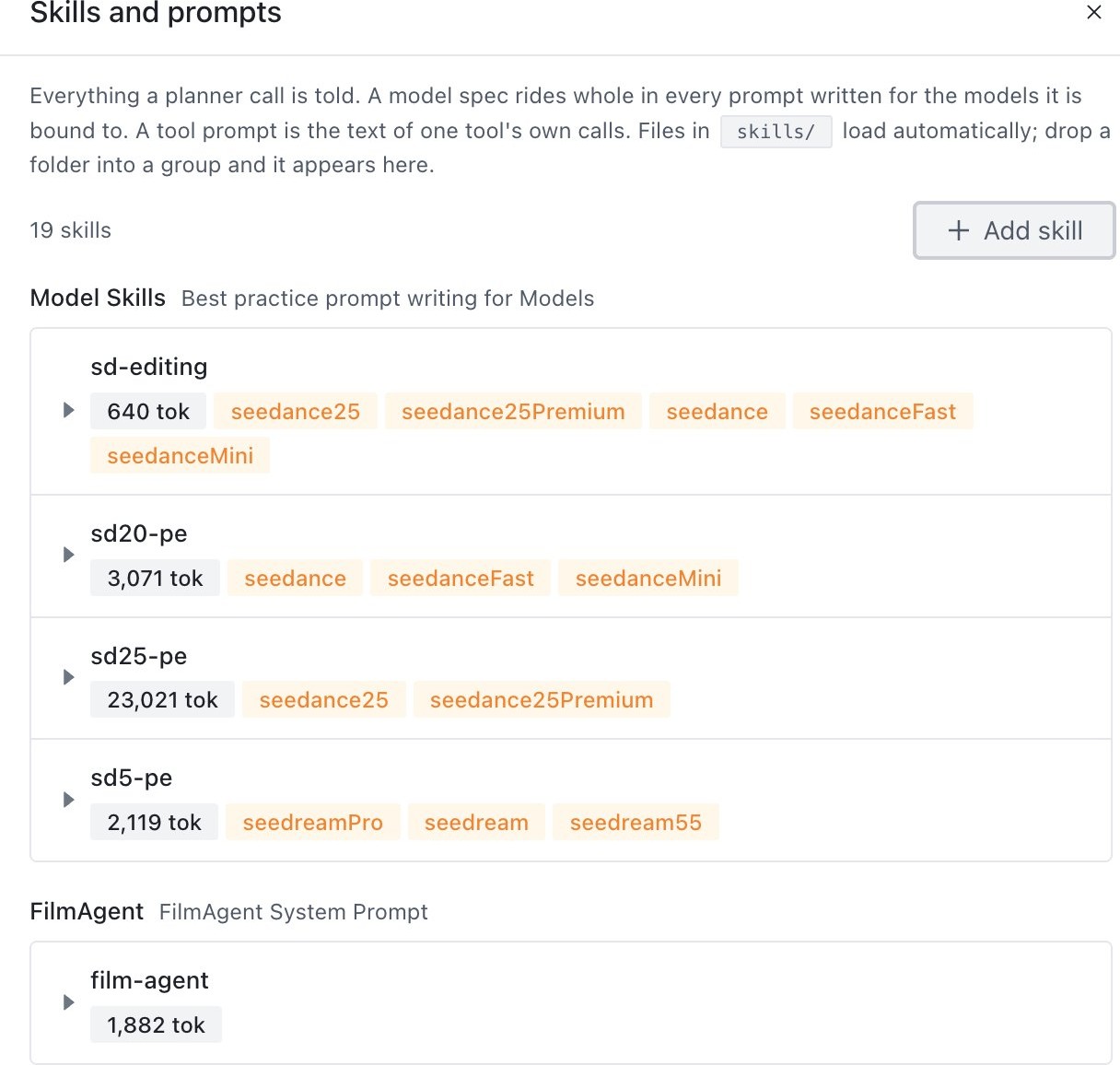
Skills let FilmAgent solve the request and get the most out of each model without pre-defined workflows. Customers can create new skills and change existing ones.
- Model skills: best-practice prompt writing for each model, bound to its model slots.
- FilmAgent: the agent's own method.
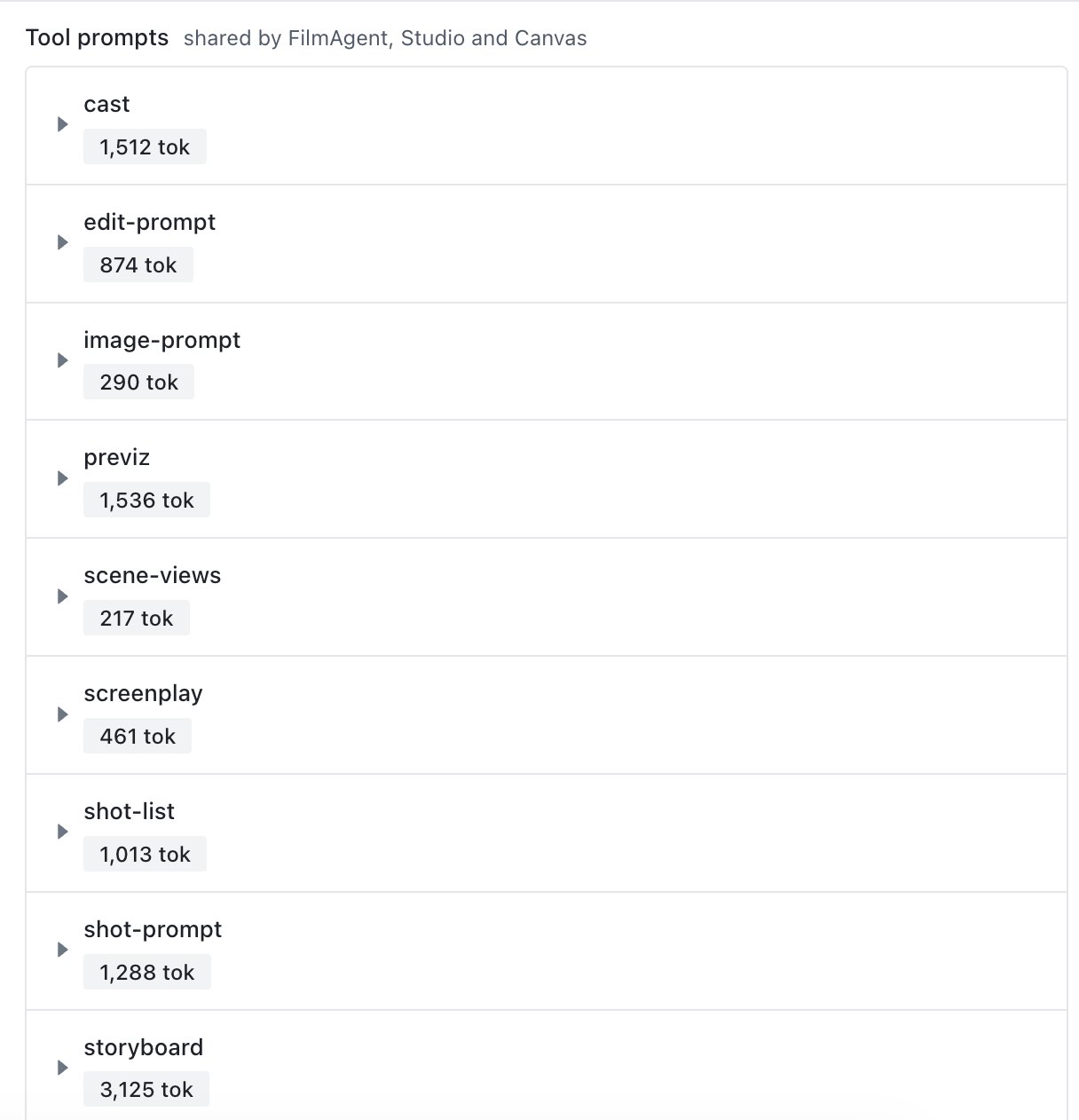
- Tool prompts: shared by FilmAgent, Studio and Canvas.
How to install API key and endpoints
git clone git@github.com:RaiaN/FilmAgent.git && cd FilmAgent
npm install && cp .env.example .env.local
Open .env.local and fill in:
# required
MODELARK_API_KEY, MODELARK_API_BASE_URL
MODELARK_MODEL_REASONER, MODELARK_MODEL_SEEDREAM, MODELARK_MODEL_SEEDREAM_PRO
MODELARK_ASSET_ACCESS_KEY, MODELARK_ASSET_SECRET_KEY
MODELARK_TOS_BUCKET, MODELARK_TOS_REGION
# add for Seedance 2.5 (30 s takes, MOV 10-bit)
MODELARK_MODEL_SEEDANCE_25=ep-...
MODELARK_MODEL_SEEDANCE_25_PREMIUM=ep-...
# optional
MODELARK_MODEL_SEEDANCE, _FAST, _MINI
BYTEPLUSVOICE_API_KEY, MODELARK_MODEL_SEED_AUDIO
Needs Node 18+ and git access to the repository.
Then start it:
NODE_USE_SYSTEM_CA=1 npm run dev
Open http://localhost:3000.